
Turn any song into a brand-new arrangement
Generate Piano Arrangement is, as far as we know, the only tool of its kind: instead of just transcribing what it hears, our AI re-composes the piece into a fresh arrangement — then writes it out as sheet music you can play and edit.
What makes it different
A normal transcription tries to capture the original note-for-note. Generate Piano Arrangement does something no other tool does: it listens to a song and imagines a new version of it. It doesn’t care whether the original was ever a piano piece — hand it a vocal track, a full band, a guitar riff or an orchestral cut and it will reinterpret the melody and harmony into a playable arrangement. The result genuinely surprises people: it’s not a copy, it’s a new take on the song.
The three styles
Slow, expressive and lyrical — the song reimagined as an intimate solo-piano ballad.
Reharmonised with jazz voicings and swing feel — a fresh, sophisticated spin.
Restyled in a classical idiom, with the phrasing and texture of the concert repertoire.
Copyright: read this first
Generate Piano Arrangement creates and lets you share a new arrangement of a song — and arrangements of copyright-protected music are themselves controlled by the rights holder. So the rule is simple: only arrange music you have the rights to — your own songs, public-domain works, or material you’re licensed to use.
A practical note on sources: an official, published recording is fingerprinted and is more likely to be flagged by automated copyright systems. A live version on YouTube (a concert or session recording) is far less likely to be matched, which is one reason people use them as a source. That lowers the chance of a flag — it does not change the law. You should always have the rights to the underlying song regardless of which recording you feed in.
You’re responsible for what you upload and share — see our Terms.
Two ways to use it
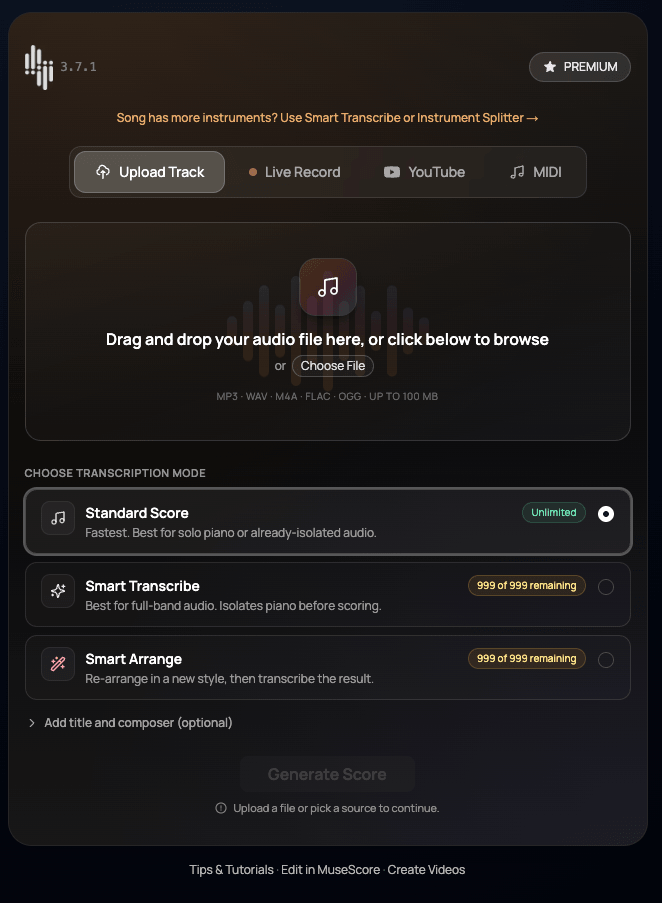
1From the transcriber
Add your source on the transcribe screen, choose Generate Piano Arrangement as the mode, pick a style, and generate. It re-arranges the piece, then scores the result.
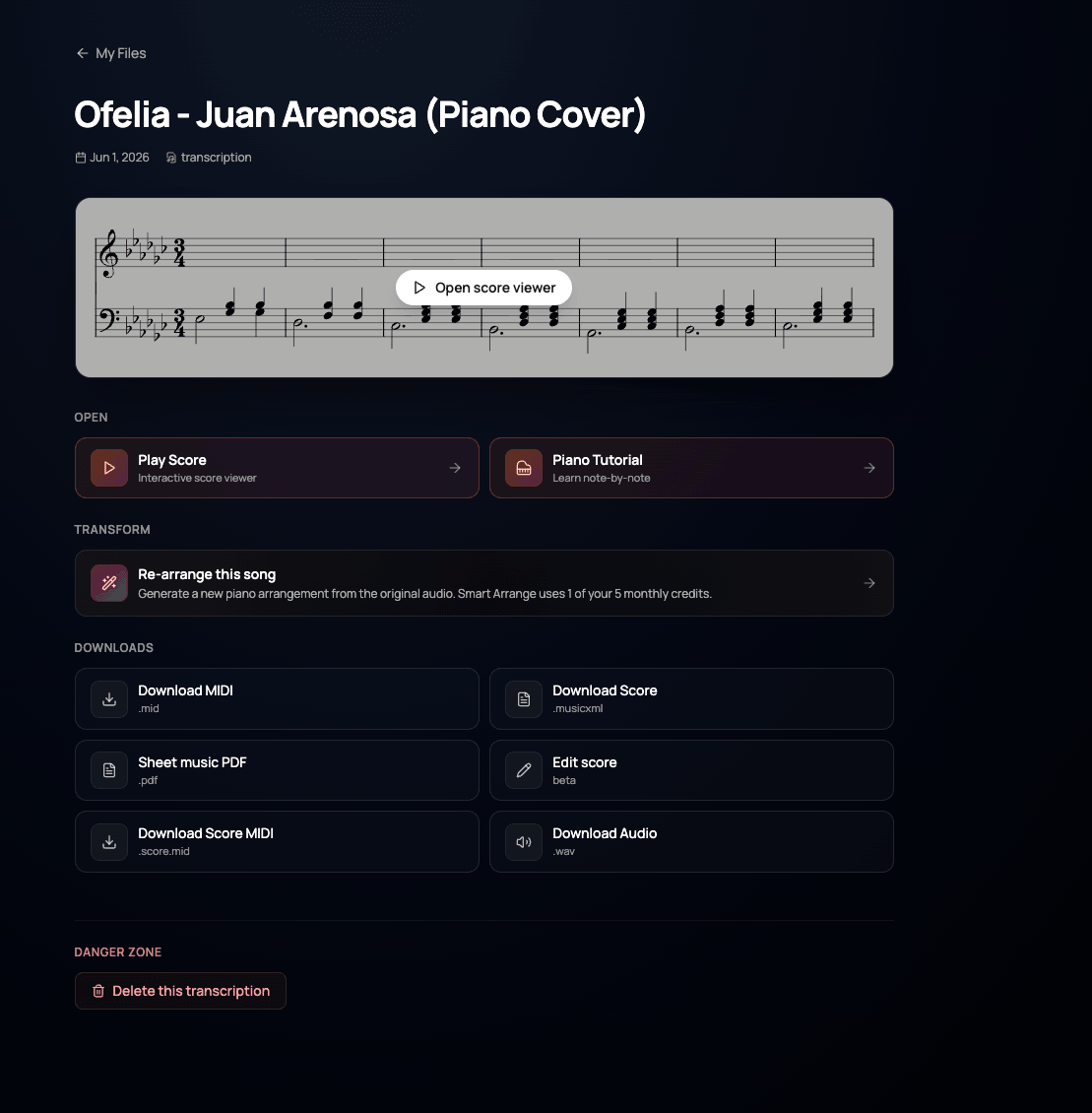
2From a song you’ve already transcribed
Open any transcription and use “Re-arrange this song” under Transpose. The new arrangement is saved alongside the original.
Why you get 5 a month
Generate Piano Arrangement is far more limited than standard transcription — five arrangements a month on a paid plan. Two reasons: each arrangement is a heavy generative job (it’s composing, not just listening), and we keep it deliberately measured so it’s used thoughtfully and rights-aware. It’s a premium, count-them-on-one-hand feature, not an everyday batch tool.
If an arrangement fails
Generative runs occasionally don’t land. If one fails, it shouldn’t cost you — just email support@botsformusic.com and we’ll refund failed attempts back to your monthly allowance. Tell us roughly when it happened and we’ll sort it out.
Tips for the best result
- Feed it a clear source — a clean melody gives the AI more to work with.
- Try the same song in all three styles; they can be wildly different.
- The output is a normal score: play it, edit it, or export it like any other.
- Didn’t love a take? Run it again — every arrangement is a new interpretation.
FAQ
Generate Piano Arrangement uses AI to create a brand-new arrangement of any song — even if the original is not a piano piece — and then transcribes that new version into sheet music you can read, play and edit.
Each arrangement is a heavy generative job, and the feature is kept deliberately limited for responsible, rights-aware use. The cap keeps quality high and the tool sustainable.
Email support and we will refund failed attempts so a bad run never costs you a use.
Only songs you have the rights to. Published, copyright-protected recordings should not be arranged or shared without permission.